
Keyboards
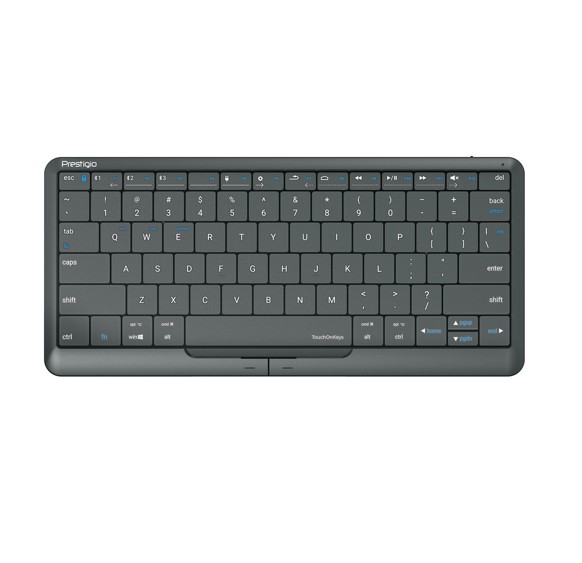
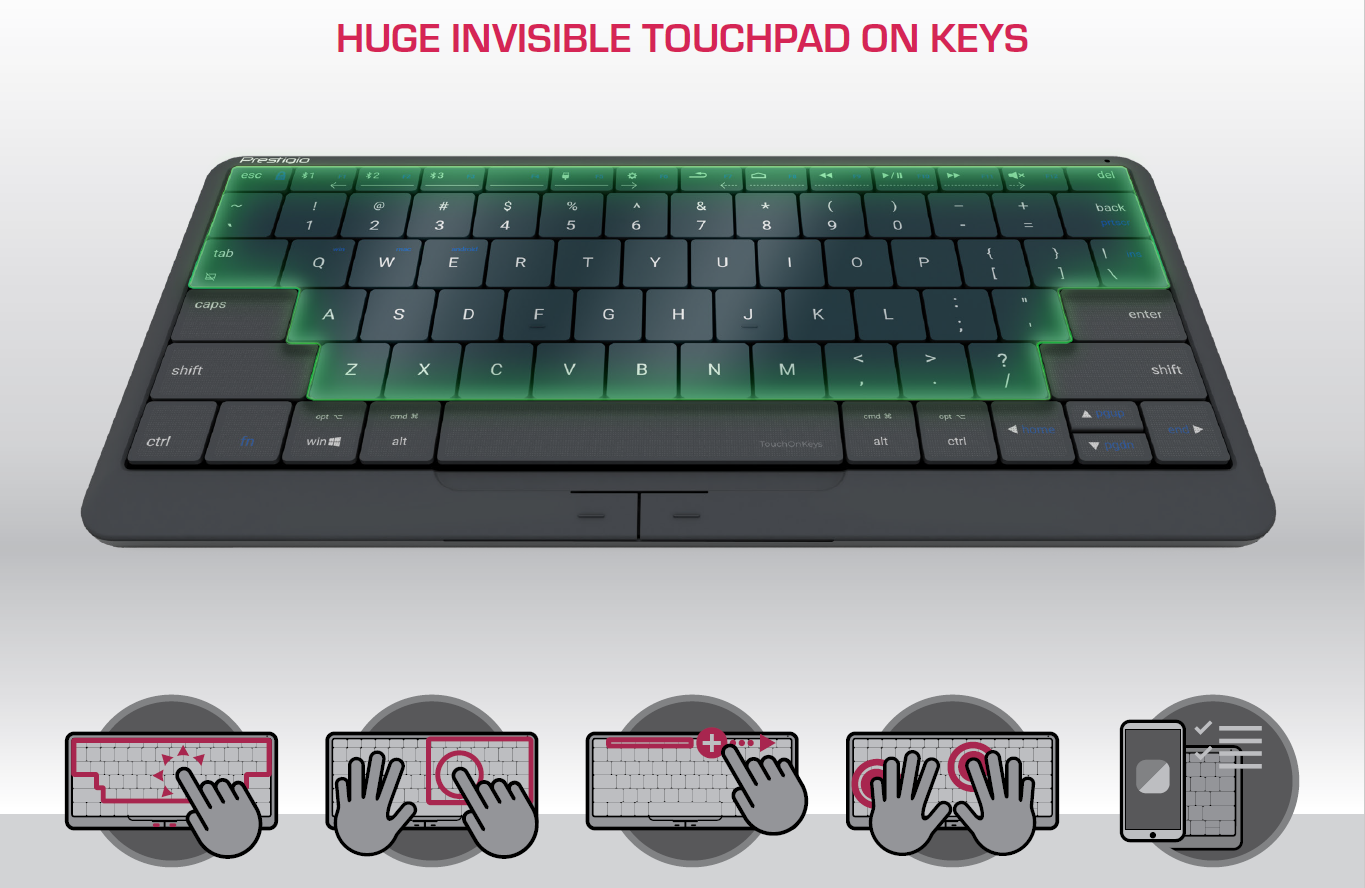
Clevetura Prestigio PSKEY2, Click&Touch 2, Huge Invisible Touchpad On Keys, Familiar Gestures, Adjustable the Touchpad Area, Press to Type
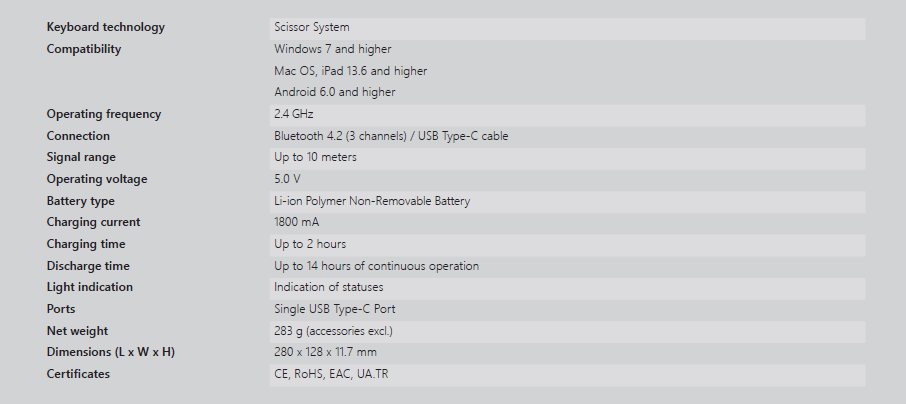
Item Specifications
<div style='padding:0.0px 0.0px;text-align: center; display:block;'>
<img src='https://content.leadermarketing.com.au/assets/uploads/Clevetura/PSKEY2/page1-a.png' style='width: 100%; height: auto;'>
<img src='https://content.leadermarketing.com.au/assets/uploads/Clevetura/PSKEY2/page1.jpg' style='width: 100%; height: auto;'>
<img src='https://content.leadermarketing.com.au/assets/uploads/Clevetura/PSKEY2/page3.png' style='width: 100%; height: auto;'>
<img src='https://content.leadermarketing.com.au/assets/uploads/Clevetura/PSKEY2/page4.png' style='width: 100%; height: auto;'>
</div>
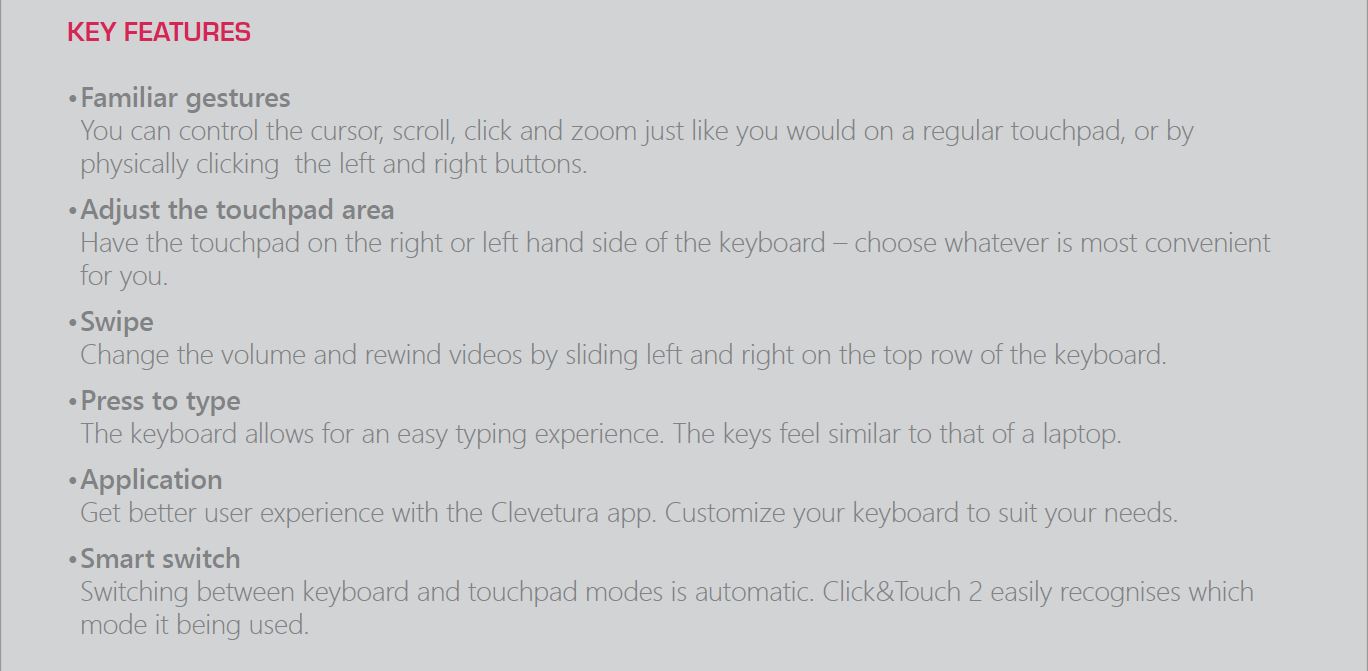
KEY FEATURES
• Familiar gestures
You can control the cursor, scroll, click and zoom just like you would on a regular touchpad, or by
physically clicking the left and right buttons.
• Adjust the touchpad area
Have the touchpad on the right or left hand side of the keyboard – choose whatever is most convenient
for you.
• Swipe
Change the volume and rewind videos by sliding left and right on the top row of the keyboard.
• Press to type
The keyboard allows for an easy typing experience. The keys feel similar to that of a laptop.
• Application
Get better user experience with the Clevetura app. Customize your keyboard to suit your needs.
• Smart switch
Switching between keyboard and touchpad modes is automatic. Click&Touch 2 easily recognises which
mode it being used.
<img src='https://content.leadermarketing.com.au/assets/uploads/Clevetura/PSKEY2/page1-a.png' style='width: 100%; height: auto;'>
<img src='https://content.leadermarketing.com.au/assets/uploads/Clevetura/PSKEY2/page1.jpg' style='width: 100%; height: auto;'>
<img src='https://content.leadermarketing.com.au/assets/uploads/Clevetura/PSKEY2/page3.png' style='width: 100%; height: auto;'>
<img src='https://content.leadermarketing.com.au/assets/uploads/Clevetura/PSKEY2/page4.png' style='width: 100%; height: auto;'>
</div>
KEY FEATURES
• Familiar gestures
You can control the cursor, scroll, click and zoom just like you would on a regular touchpad, or by
physically clicking the left and right buttons.
• Adjust the touchpad area
Have the touchpad on the right or left hand side of the keyboard – choose whatever is most convenient
for you.
• Swipe
Change the volume and rewind videos by sliding left and right on the top row of the keyboard.
• Press to type
The keyboard allows for an easy typing experience. The keys feel similar to that of a laptop.
• Application
Get better user experience with the Clevetura app. Customize your keyboard to suit your needs.
• Smart switch
Switching between keyboard and touchpad modes is automatic. Click&Touch 2 easily recognises which
mode it being used.
SKU CODE: KBC-PSKEY2
WAREHOUSE STOCK: 15 units left
Unit Price
$125.35